How to Give Claude Code a Memory of Your Computer

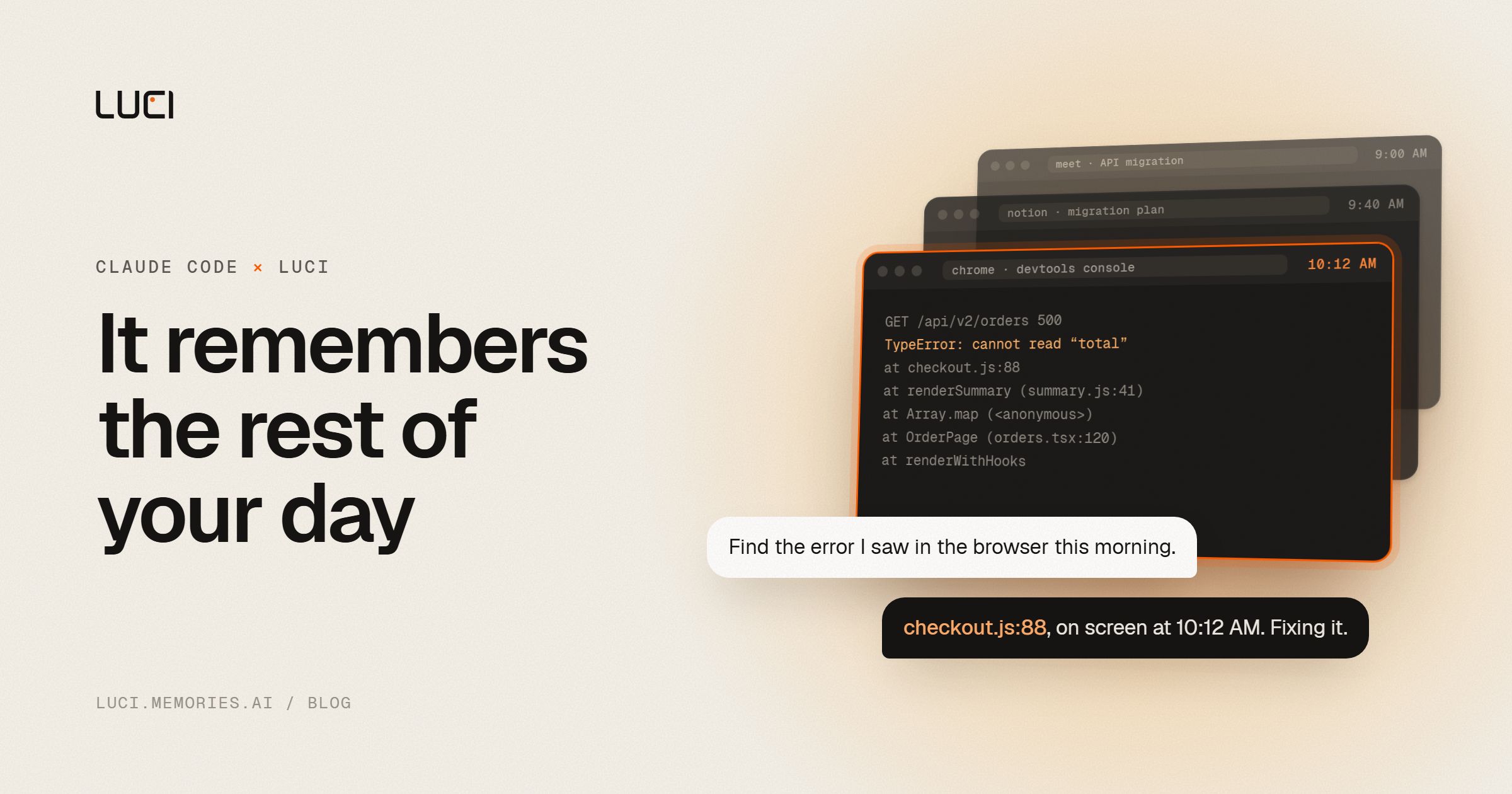
Ask Claude Code about the error you saw in your browser this morning and it can't help, because it was never there. Claude Code has two kinds of memory, and both are built from inside Claude Code. Your browser, your inbox, your calls and the doc you read yesterday are outside both of them.
This guide covers what Claude Code remembers on its own, where that stops, and how to give it the rest of your day.
TL;DR
- CLAUDE.md is instructions you write. Auto memory is notes Claude writes while it works with you. Neither one records what you do in other apps.
- For Claude Code to recall what was on your screen or said on a call, something has to keep that history. LUCI keeps a memory of your screen and both sides of your calls on your own computer, and its official skills teach Claude Code when to look things up.
- Setup is one click in LUCI's settings, or two commands in a terminal.
What Claude Code remembers on its own
CLAUDE.md: instructions you write
CLAUDE.md files are plain Markdown that Claude Code reads at the start of every session. There is one for you (~/.claude/CLAUDE.md), one per project (./CLAUDE.md, usually checked into git), and a personal one per project (./CLAUDE.local.md). Files in subfolders load when Claude starts working in that folder.
This is the place for things that should be true every time: build commands, naming conventions, "use pnpm, not npm". Run /init and Claude writes a first version from your codebase. Run /memory to open and edit the files. Anthropic's docs suggest keeping each file under 200 lines, because all of it goes into every session.
Auto memory: notes Claude writes
Auto memory is on by default in local sessions. When you correct Claude or tell it how you like things done, it can save a note so the next session knows. The notes live in ~/.claude/projects/<project>/memory/, with a MEMORY.md index that points to topic files. At startup Claude reads the first 200 lines or 25 KB of that index, whichever comes first, and opens the other files when it needs them.
You can turn it off, or open the folder and read what it saved, from /memory.
Resumed sessions
claude --continue reopens your last conversation in the current folder, and claude --resume lets you pick an older one. Otherwise, every new session starts with a fresh context window. The memory that carries over is your CLAUDE.md files and auto memory.
What none of them can see
| Where it happened | Can Claude Code recall it? |
|---|---|
| A command Claude ran in an earlier session | Only if you resume that session |
| A preference you corrected | Yes, if auto memory saved a note |
| A rule you put in CLAUDE.md | Yes, every session |
| An error in your browser console | No |
| A Slack thread, an email, a ticket | No |
| What was said on a Zoom or Meet call | No |
| A doc or a page you read yesterday | No |
Claude Code does have ways to look at your screen. Computer use takes screenshots while it does a task you gave it, and the Chrome integration opens its own tabs. Both are for doing the task in front of them. Neither keeps a record of your day, so neither can answer "what was that page I had open at ten?"
For anything outside its own sessions, Claude Code relies on the tools you connect to it through skills and MCP servers. So the history has to come from somewhere else.
Give Claude Code the rest of your day
LUCI is a free Mac and Windows app that remembers your whole day on the computer. It keeps what was on your screen and every word of your calls, yours and theirs. No bot joins your meetings. The memory stays on your computer, encrypted, and you can have cards and API keys blacked out before anything is saved.
LUCI ships official skills for Claude Code. They tell Claude what LUCI can answer and when to use it, so you ask in plain words instead of typing special commands.
1. Install LUCI and leave it running
Download LUCI. On a Mac it needs Apple Silicon (M1 or later) and macOS 13 or newer. On Windows it needs Windows 10 or later (64-bit) and installs from the Microsoft Store. On first launch, grant screen and microphone access. There's no account to make.
LUCI can only recall what happened while it was running, so the history starts now.
2. Install the skills
The easy way is inside LUCI. Open Settings → Agent access, tick Claude Code and click Install. LUCI writes its official skills into Claude Code through Agent Bridge.
From a terminal instead:
claude plugin marketplace add Memories-ai-labs/Luci-skills
claude plugin install luci-skills
Or from inside a Claude Code session:
/plugin marketplace add Memories-ai-labs/Luci-skills
/plugin install luci-skills
/reload-plugins
The skills are open source in Memories-ai-labs/Luci-skills. You can read exactly what they tell Claude to do before you install them.
3. Ask
Some things to try in your next session:
- "Find the error I saw in the browser this morning and fix it."
- "What did we decide about the API migration on yesterday's call?"
- "What was I working on between 2 and 4 pm on Tuesday?"
- "I read a post about connection pooling last week. Find it."
- "distill my life"
How Claude uses it
When you ask about something you did, Claude turns "this morning" or "last week" into a time range and searches your history. It can look for the exact words that were on screen, for a rough description, for what was said out loud, or inside one app. Before it answers, it opens the best match in full to make sure it's the right one.
The skill also tells Claude to stick to what it found. If the history has nothing, Claude says so instead of guessing. Search results show when something was on your screen, not when it was written, and the skill makes Claude keep that in mind too.
"distill my life" does something different. Claude reads your day and writes a daily record into your Life folder (~/.Life), plus notes on the people, projects and tools that came up. Those are plain files. If LUCI isn't running later, the skill answers from them.
Which memory is for what
| CLAUDE.md | Auto memory | LUCI | |
|---|---|---|---|
| Who writes it | You | Claude | Nobody; LUCI keeps it as you work |
| What's in it | Rules and conventions | What Claude learned working with you | What was on your screen and said on your calls |
| Covers work outside Claude Code | No | No | Yes |
| Loaded every session | Yes (subfolder files when needed) | The index, up to 200 lines or 25 KB | No; Claude searches it when a question needs it |
You can use all three. Keep rules in CLAUDE.md and let auto memory learn how you work. Don't paste your day into CLAUDE.md, though. Every line there costs context in every session, and a day of work is far too big for it. LUCI is searched only when a question needs it, so a month of history costs nothing until you ask.
What about claude-mem?
claude-mem is a popular open-source memory plugin for coding agents, with an optional hosted tier. It records what the agent does with its tools during a session, summarizes it, and gives those summaries to later sessions. It is a memory of the agent's own work, a richer version of what auto memory does. It doesn't see your browser or your calls, because the agent didn't either.
So the two answer different questions. claude-mem answers "what did Claude do last week in this repo?" LUCI answers "what was on my screen and said on my calls last week?" You can run both.
What leaves your computer
LUCI's memory stays on your machine. When Claude looks something up, though, the part it finds goes into that conversation, and Claude Code sends the conversation to the model provider, usually Anthropic, like everything else Claude reads. Ask for what you'd be comfortable pasting into the chat yourself, and see Agent Bridge for how the connection works.
Frequently asked questions
Does Claude Code have memory?
Yes, two kinds. CLAUDE.md files hold instructions you write, and auto memory holds notes Claude writes about your preferences and project. Both are built from inside Claude Code. Neither records your work in other apps.
Can Claude Code see what I did in other apps?
Not by itself. Computer use and the Chrome integration let Claude look at a screen while it does a task you gave it, but they don't keep a history. To ask about earlier work in other apps, connect a tool that keeps that history, such as LUCI.
What is the best memory tool for Claude Code?
It depends on what you want remembered. For rules and conventions, CLAUDE.md. For what Claude learned working with you, auto memory, or claude-mem if you want more detail. For what you did outside Claude Code, like pages, errors, emails and calls, LUCI, because it is the one keeping a history of your screen and meetings.
Does it work if LUCI is closed?
Partly. With LUCI closed, the skill reads your Life folder instead, so anything you've distilled is still there. Live search of your screen and calls needs LUCI running.
Does this work in Cursor and Codex too?
Yes. The same official skills install into Cursor, Codex and other agents. See Supported agents.
Can I connect over MCP instead of skills?
Yes. Skills are the recommended path because they also teach Claude when to search, but LUCI can also connect over MCP. The steps are in Connect Claude Code.
Is it free?
Yes. LUCI is free, with no account and no trial limit.