 Claude Code

 Cursor

 Codex
 Gemini

 Copilot

 Windsurf

 Zed

 opencode
 Amp

 Kilo Code
 Warp
 VS Code

 Grok
“I stopped copy-pasting error traces and Figma specs into Cursor. My agent queries LUCI for what was on my screen five minutes ago and gets straight to work.”
David Chen
Staff Software Engineer
LUCI remembers your whole day on the computer — meetings, code, email, everything in between. Fully local.


LUCI connects itself. Nothing to set up, nothing to paste, and no per-agent configuration to keep in sync. Add a new agent tomorrow and your memory is already there.
Your whole day on the computer — meetings, email, code, everything in between.
Your screen and your meetings, understood on your machine and handed to whichever agent you ask.
Works with Claude, Cursor, and Codex — LUCI connects itself, nothing to set up.
Ask in plain English across screen and meetings, and see where the day actually went.
Cards, keys, and passwords are blacked out before anything is saved.
Phi, Qwen, Llama, DeepSeek — pick one, switch whenever, and your memory stays where it is.
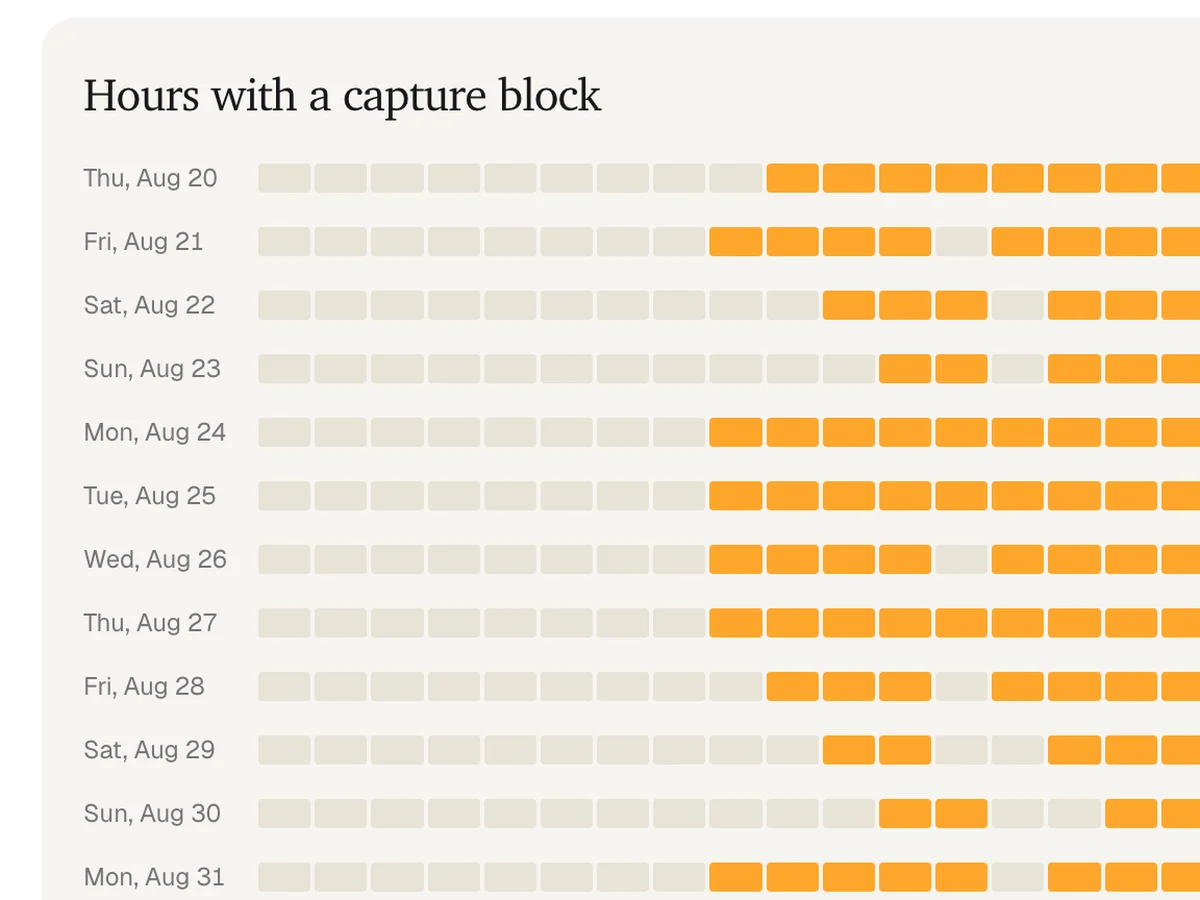
Your day laid out end to end, so you can walk back to any moment instead of trying to remember it.
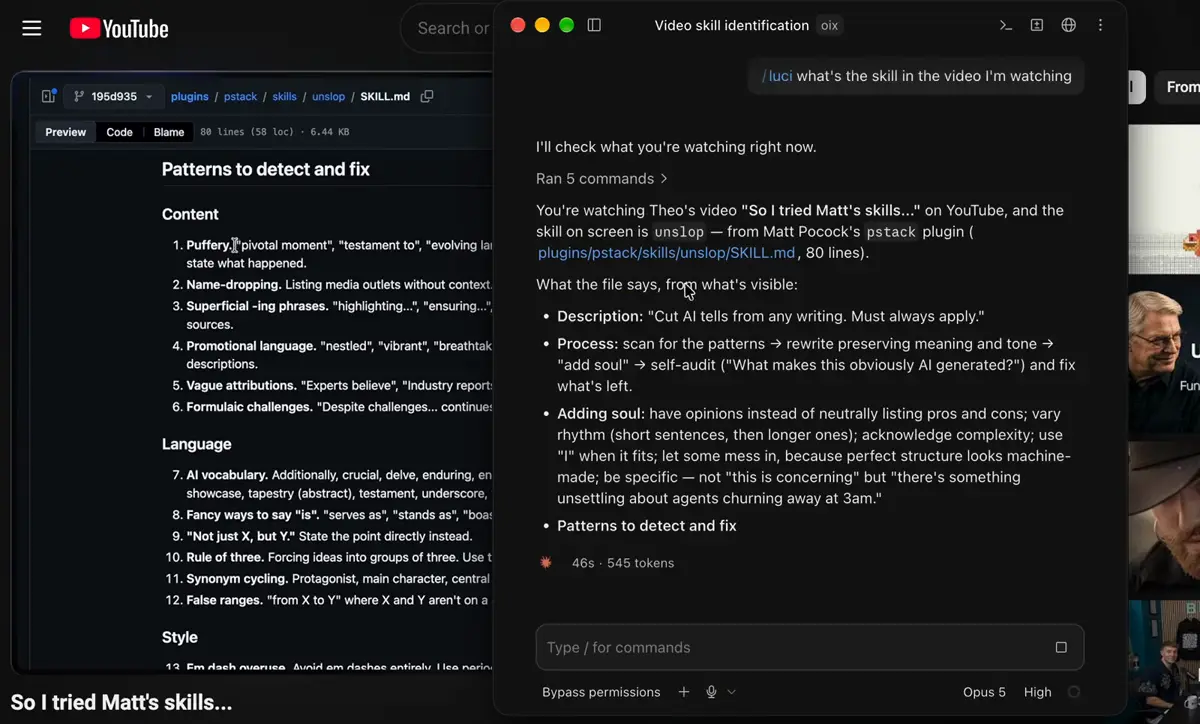
LUCI reads and understands what is on screen, on your device, and keeps it findable.
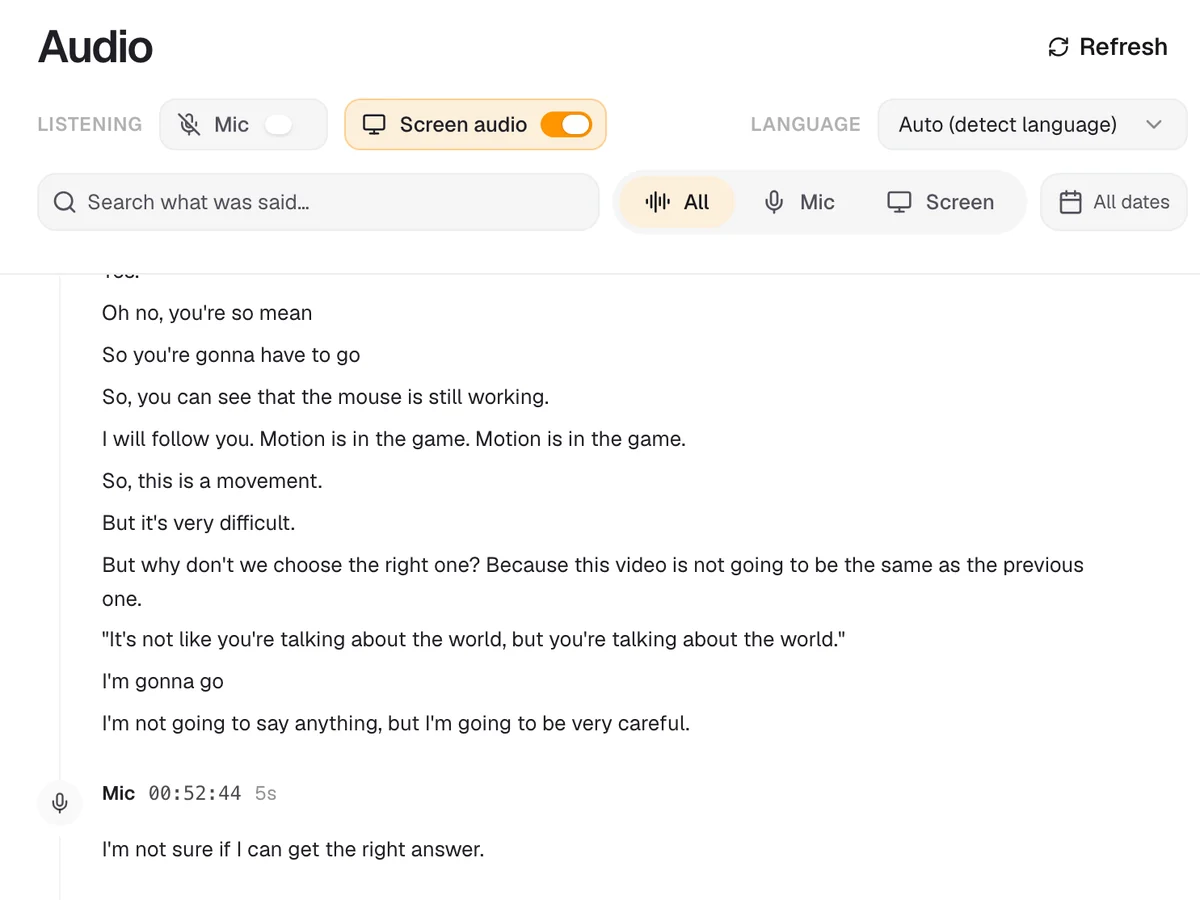
Every word — yours and theirs — in meetings and calls, attached to the day it happened.
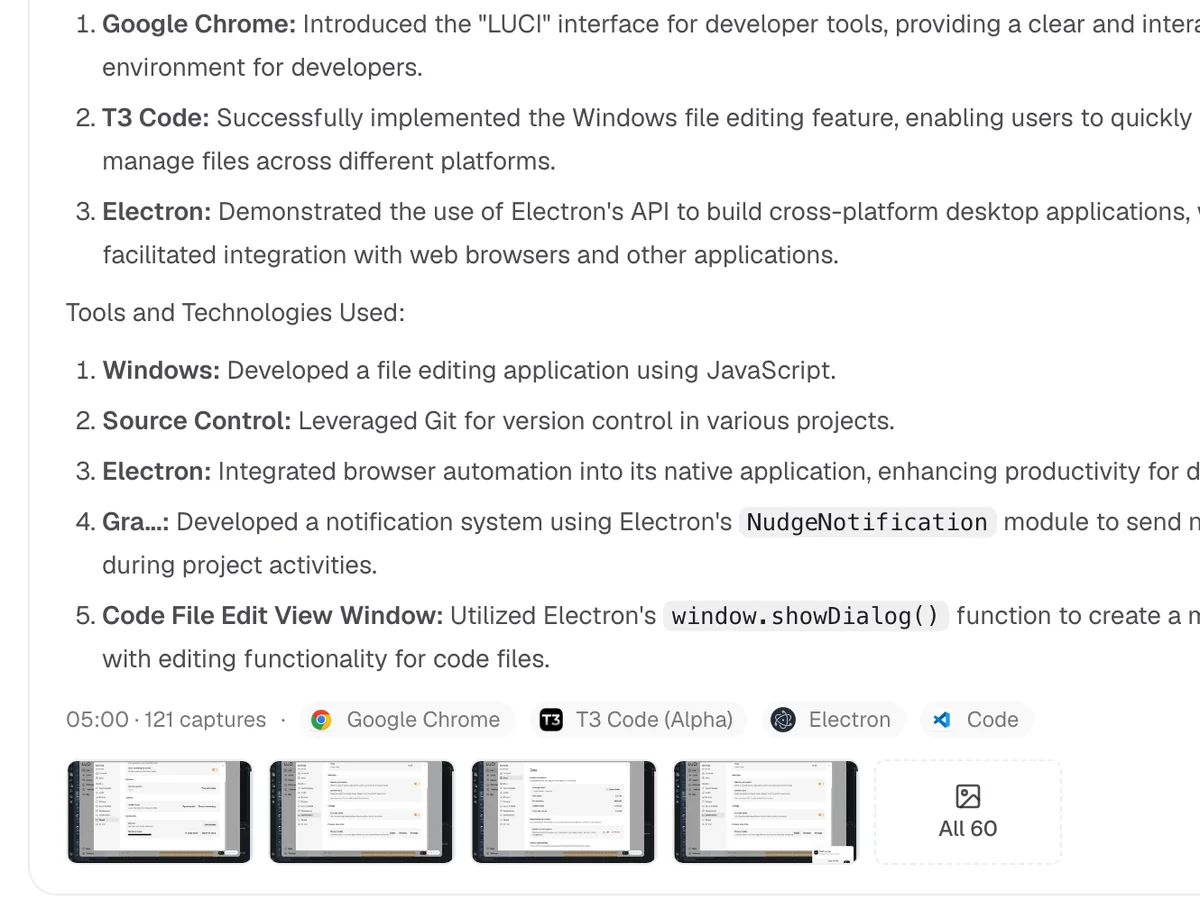
Your agent turns the raw day into a short written record, and files it in your Life folder.
No OAuth, no API keys, and nothing to configure. Because LUCI reads directly from your screen and calls, every app you open is already supported — including internal tools and private docs.
See what gets captured














“I stopped copy-pasting error traces and Figma specs into Cursor. My agent queries LUCI for what was on my screen five minutes ago and gets straight to work.”
David Chen
Staff Software Engineer
“I used to spend Friday afternoons reconstructing decisions from scattered calls and threads. Now my agent distills the whole week into our project log in seconds.”
Elena Rostova
Head of Product
“Every evening my agent writes my Life folder with an honest summary of where my time actually went. It's the first tool that makes an agent truly personalized to me.”
Marcus Vance
Founder & CEO
“Tokens and credentials are blacked out before anything is saved, and memory stays indexed locally on-device. It made our security sign-off completely frictionless.”
Julian Croft
VP Infrastructure
“Context windows reset between sessions, but LUCI remembers. Codex can instantly recall why we chose a specific architecture pattern three weeks ago.”
Sarah Lin
Principal AI Engineer
“Every client call is captured and organized without taking manual notes. When I open a proposal draft, Claude pulls the exact constraints the client mentioned.”
Luis Amezcua
Solutions Director
If you work with Claude Code, Cursor, or Codex, part of every prompt is explaining what you were just doing. LUCI hands that over for you.
How it connectsAsk your agent to fix “that error” and it already knows which one — the stack trace you scrolled past a minute ago.
Your agent drafts the issue from the meeting you just left, with what was actually said.
A new chat starts where the last one stopped: the files, the docs, the decision you made at 6pm.
No more screenshots, copied logs, or a paragraph of “so what I was doing was…” before every prompt.
A memory of your whole day should answer to no one but you.


Everything LUCI remembers lives on your machine, encrypted at rest.
Cards, keys, and passwords are blacked out before anything is saved.
Keep a week or keep a year. Deleting a day removes it entirely.
Your Life is plain files in a folder — including outliving ours.
LUCI is a free desktop app for Mac and Windows from Memories AI that remembers your screen and meetings on your own device and gives that memory to AI agents like Claude Code, Cursor, and Codex. It runs in the background. When you ask your agent about something you did earlier, it looks it up instead of asking you to explain.
Your whole day on the computer. That means the code you were reading, the email you answered, the doc you skimmed, and every word in meetings and calls, yours and theirs. No bot joins the call. You can pause capture at any time, keep any app out of the record, and choose how long LUCI keeps things.
What gets capturedClaude Code, Cursor, and Codex. LUCI finds them on your computer and connects itself, so there is nothing to set up. We call that connection Agent Bridge. Gemini, GitHub Copilot, Windsurf, and other agents take one install step. They all read the same memory, so switching agents doesn't mean explaining your day again.
How Agent Bridge worksYes, on both Mac and Windows. There is no trial period and no subscription, and you don't need a credit card to download it.
PricingYes. On a Mac it needs Apple Silicon (M1 or newer) and macOS 13 or later. On Windows it needs Windows 10 or later on an x64 PC. Both need at least 8 GB of RAM. Intel Macs aren't supported yet.
System requirementsOn your computer, encrypted and tied to your Mac or Windows login. Capture, understanding, and search all run on the device, and LUCI keeps working with Wi-Fi off. Your recordings are not used to train models. When you ask an agent something, only what it pulls from your memory goes into that conversation, and you decide which agents to connect.
Privacy on deviceSwitch on Redact sensitive info and LUCI blacks out card numbers, API keys, tokens, and email addresses before anything is saved, so they never show up in your memory or in search. A typed password doesn't look like anything in particular, so add your password manager to the privacy list. LUCI then keeps that app's windows out of every capture.
How redaction worksA meeting notetaker only covers calls, and many of them join as a bot and keep the transcript in their cloud. LUCI records meetings with no bot, remembers the rest of your day too, and stores all of it on your computer. Microsoft Recall is Windows only, needs a Copilot+ PC, and by Microsoft's own documentation doesn't record audio. LUCI runs on Apple Silicon Macs and regular Windows PCs, hears your calls, and hands what it remembers to Claude, Cursor, and Codex.
LUCI vs Microsoft RecallNo. LuCI is the web interface for OpenWrt routers, an unrelated open-source project. This LUCI is the desktop app from Memories AI, at luci.memories.ai, and it has no connection to Agent Luci (agentluci.com). The LUCI Pin is a wearable camera, also from Memories AI, but it is a separate product.
LUCI runs in the background and hands your agent the context of what you just did.